
TL;DR
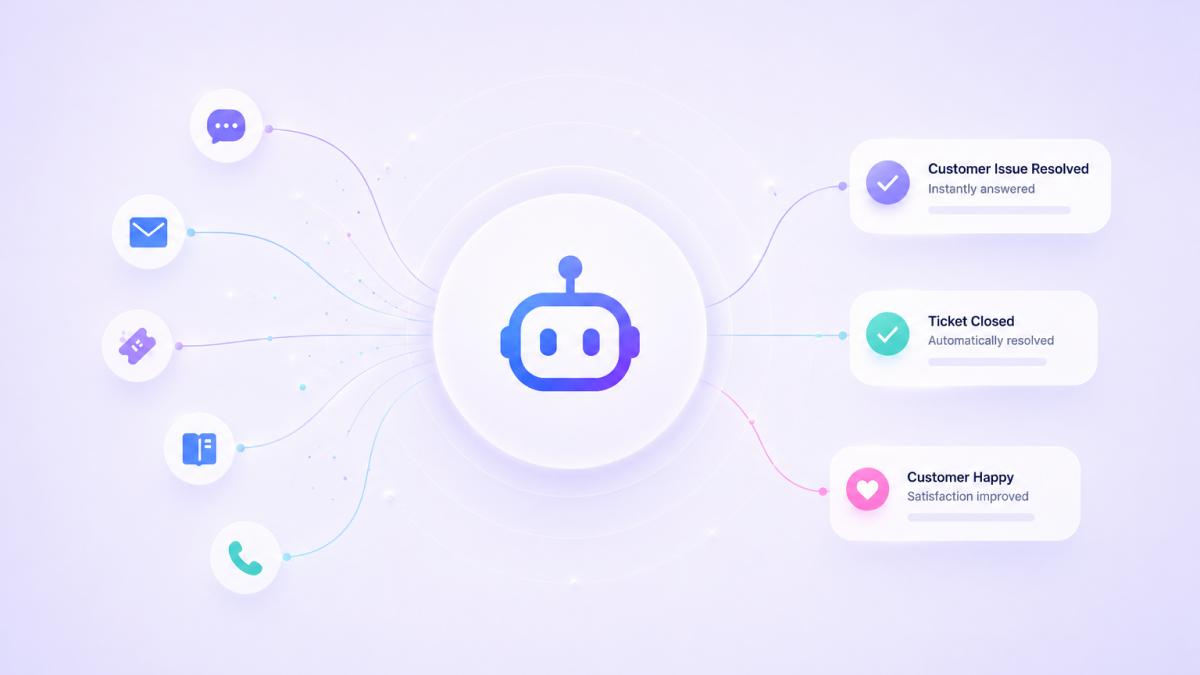
Automating customer support with AI means deploying AI agents that understand intent, pull answers from a knowledge base, and resolve issues without human intervention — cutting response times by 80% and per-ticket costs from $16+ to under $1. Customer service automation is no longer a competitive advantage — it's table stakes. McKinsey reports that AI-powered customer service operations deliver 20–30% cost reductions while maintaining or improving CSAT scores. This guide walks you through how to automate customer support with AI — from identifying your highest-impact workflows to deploying AI customer service solutions that resolve tickets, handle customer interactions at scale, and escalate with full context when a human agent is needed.
Automating customer support with AI means deploying AI agents that understand intent, pull answers from a knowledge base, and resolve issues without human intervention — cutting response times by 80% and per-ticket costs from $16+ to under $1. Customer service automation is no longer a competitive advantage — it's table stakes. McKinsey reports that AI-powered customer service operations deliver 20–30% cost reductions while maintaining or improving CSAT scores.
This guide walks you through how to automate customer support with AI — from identifying your highest-impact workflows to deploying AI customer service solutions that resolve tickets, handle customer interactions at scale, and escalate with full context when a human agent is needed.
Support automation is now a customer expectation. Forrester found that 60% of customers resolve basic issues themselves before contacting support — but only if the self service tools actually work. AI agents make that possible.
What Does It Mean to Automate Customer Support with AI?
Customer support automation means deploying AI agents that classify intent, pull from a knowledge base, execute workflows, and resolve routine customer inquiries — without human agents touching the ticket. It's not a chatbot reciting FAQs. It's AI-powered customer service that reads customer data, checks order status, drafts responses, and escalates to human agents with full context when the issue requires judgment.
Traditional customer service automation relied on rule-based chatbots. Modern AI in customer service uses natural language processing and machine learning to understand context, handle edge cases, and adapt based on customer interactions.
| Task | Without AI Customer Service | With AI Customer Service Automation |
|---|---|---|
| Ticket triage | Manual classification by customer service team | Instant intent classification, urgency scoring, automated routing |
| FAQ resolution | Agent reads doc, copies answer | AI tools pull from knowledge base, draft personalized responses |
| Order status lookups | Agent logs into CRM, searches, reports | AI queries systems in real time, returns answer instantly |
| Escalation | Customer waits, repeats context | AI drafts handoff summary with full customer interactions history |
| Multi-channel support | Separate teams per channel | Single AI agent across chat, email, Slack, web |
Why Automate Customer Support Now?
Support ticket volume grows 15–20% annually. Training new customer service team members takes 4–8 weeks, and attrition runs 30–45% annually. Meanwhile, 90% of customers expect a response within 10 minutes.
The math is straightforward. Forrester reports that human-handled tickets cost $16–25 for voice and $6–8 for digital. AI customer service automation costs under $1 per ticket. At 5,000 tickets monthly with 60% resolution, that's $36,000/month in operational costs savings — or $432,000/year.
How to Automate Customer Support with AI: Step-by-Step
Step 1: Identify Your Highest-Impact Customer Service Operations
Start with the tickets your customer service team handles most frequently. Target high-volume, repetitive customer inquiries where the answer exists in your documentation.
Best candidates: Password resets, order status, product feature questions, billing inquiries, return policy questions.
Poor candidates for initial AI support automation: Complex multi-system issues, emotional complaints, legal or compliance-sensitive inquiries.
Step 2: Build Your Support Knowledge Base
A RAG-powered knowledge base is the foundation of effective AI customer service. The knowledge base pulls from your actual documentation — support runbooks, product docs, FAQ pages, policy documents — rather than generic responses.
Most customer service teams upload 15–25 core documents and expand over time. The knowledge base gets smarter as you add customer interaction data, support ticket patterns, and resolution history.
Step 3: Configure Your AI Customer Service Agent
Define how your AI agent thinks, responds, and decides. In Odin AI's no-code builder, configuration happens through a visual interface — no technical knowledge required.
Core settings:
- Agent persona: Match communication style to your brand voice
- Guardrails: Anchor the agent strictly to your verified knowledge base data — maintaining 98% reliability on customer data
- Escalation rules: Define when AI agents hand off to human agents — frustrated customers, refund requests above a threshold, questions outside the knowledge base scope
Step 4: Set Up Live Agent Handoff with Context
Live agent handoff is what makes AI customer service automation trustworthy. When a ticket escalates, the human agent receives: full customer interactions history, account details, an AI-generated summary, and recommended next steps. The customer never has to repeat themselves.
Step 5: Connect and Deploy Across Channels
Connect your AI customer service solutions to your helpdesk (Zendesk, Intercom), CRM (Salesforce, HubSpot), and e-commerce (Shopify, WooCommerce). Most integrations connect in under 2 minutes via OAuth.
Deploy across channels: website chat widget, email monitoring, Slack/Teams for internal support, or API endpoint for custom interfaces. The same knowledge base, guardrails, and escalation rules apply everywhere — giving your customer service team a unified AI customer service layer across every touchpoint.
The 30-60-90 day cycle: Deploy on your highest-volume customer support category in month one. Expand to a second category in month two, refining escalation rules based on customer interactions data. By month three, deploy across additional channels and enable proactive support — surfacing potential issues before customer inquiries arrive.
Real-World Customer Support Automation Workflows
Automated Ticket Triage
| Step | AI Agent Action |
|---|---|
| 1 | Ticket arrives via email, chat, or form |
| 2 | AI classifies intent, urgency, and topic |
| 3 | If resolvable → AI drafts and sends response |
| 4 | If complex → AI routes to right human with customer context |
Result: 60–70% of tickets resolved without human agents.
Order Status Automation
| Step | AI Agent Action |
|---|---|
| 1 | Customer asks "Where's my order?" |
| 2 | AI queries Shopify/CRM for real-time status |
| 3 | AI responds with tracking link and estimated delivery |
| 4 | If delayed → proactive apology with next steps |
Result: Order status tickets — 25–30% of all volume — drop to near-zero manual handling.
Measuring Customer Support Automation ROI
| Metric | Target (First 90 Days) |
|---|---|
| Automation rate | 50–70% resolved without human agents |
| First response time | Under 10 seconds |
| CSAT score | Maintain or improve vs. human baseline |
| Escalation rate | 30–50% (decreasing over time) |
| Cost per ticket | 50–70% reduction |
Benchmark: Teams using Odin AI's no-code AI agent builder see AI customer service resolve 60%+ of tickets without human intervention within 30 days. By day 90, that climbs to 70–80% as the knowledge base matures.
Common Mistakes in Customer Support Automation
| Mistake | Why It Fails |
|---|---|
| Automating before building the knowledge base | Generic responses destroy customer trust immediately |
| No escalation path | Customers who hit a chatbot wall don't return |
| Set-and-forget mentality | AI improves with use — monitor weekly, upload new docs |
| Automating complex customer interactions first | Start with high-volume, low-complexity customer inquiries |
| Not being transparent about AI | Let customers know a human agent is available |
Why Odin AI for Customer Support Automation
| Capability | Odin AI | Basic Chatbots | Custom Dev |
|---|---|---|---|
| RAG knowledge base | Built-in | Manual build | |
| Live agent handoff with context | ️ Limited | Custom build | |
| Multi-channel deployment | ️ | Custom build | |
| Real-time system lookups | Custom build | ||
| Time to deploy | 1–3 days | 1–2 weeks | 3–6 months |
| AI reasoning over rules | Depends |
What makes Odin AI different: Odin AI is an autonomous AI agents platform — not a rule-based chatbot builder. AI agents understand intent, pull from a RAG-backed knowledge layer, and execute multi-agent orchestration. Guardrails ensure 98% reliability. Business users own the entire workflow — no developer dependency.
"The goal isn't to replace your customer service team — it's to give them superpowers." — Odin AI Product Team
Try the AI agent builder free: getodin.ai/signup
Start Automating Your Customer Support Today
You don't need a six-month implementation project. You need a knowledge base, a clear use case, and an afternoon.
Sources
- McKinsey Global Institute (2023). The economic potential of generative AI. mckinsey.com
- Forrester Research (2024). The Total Economic Impact of AI-Powered Customer Service.
- Gartner (2024). Top Strategic Technology Trends: AI-Enhanced Service. gartner.com
- Zendesk (2024). CX Trends Report. zendesk.com
- Harvard Business Review (2023). The Self-Service Revolution in Customer Support.
- HubSpot (2024). State of Customer Service Report. hubspot.com
Odin AI is an AI Growth Accelerator purpose-built for enterprise teams. Learn more at getodin.ai.
Still have questions?
Get a live demo with an Odin AI solutions engineer — they'll build an AI agent for your specific workflow on the call.
Book a Demo